모바일 터치 회전
객체를 터치하여 터치하는 방향으로 회전시켜봅니다.
이전 포스팅의 터치하여 이동과의 UX 혼동을 피하기 위해 길게 누르면 회전 모드로 변경하여 회전하도록 합니다.
객체를 0.2 - 0.5초 동안 누르면 객체가 살짝 커지며 회전모드로 진입하고 터치를 떼면 다시 원래 사이즈로 돌아옵니다.
유니티3D 에디터에서
스크립트 작성
프로젝트창에서 TouchRotate.cs스크립트를 생성합니다.
TouchRotate.cs 스크립트를 열어서 다음과 같이 작성합니다.
1
2
3
4
5
6
7
8
9
10
11
12
13
14
15
16
17
18
19
20
21
22
23
24
25
26
27
28
29
30
31
32
33
34
35
36
37
38
39
40
41
42
43
44
45
46
47
48
49
50
51
52
53
54
55
56
57
58
59
60
61
62
63
64
65
66
67
68
69
70
71
72
73
74
75
76
77
78
using System.Collections;
using System.Collections.Generic;
using UnityEngine;

public class TouchRotate : MonoBehaviour
{

    private GameObject Obj;

    [Range(1.0f, 1.5f)]
    public float DragScale = 1.1f;

    [Range(0f, 1.5f)]
    public float touchTimeLimit = 0.28f;

    private bool isTouched;
    private bool isRotated;
    private float touchTime;

    // Update is called once per frame
    void Update()
    {
        if (Input.touchCount == 1)
        {
            Touch touch = Input.GetTouch(0);

            Ray ray = Camera.main.ScreenPointToRay(touch.position);
            RaycastHit hit;

            if (Physics.Raycast(ray, out hit) && !isTouched)
            {
                Obj = hit.transform.gameObject;
                isTouched = true;
            }

            if (touch.phase == TouchPhase.Stationary)
            {
                if (touchTime >= touchTimeLimit)
                {
                    if (!isRotated)
                    {
                        Obj.transform.localScale *= DragScale;
                    }
                    touchTime = touchTimeLimit;
                    isRotated = true;
                }
                else
                {
                    touchTime += Time.deltaTime;
                }
            }

            if (touch.phase == TouchPhase.Moved && isTouched)
            {
                if (touchTime >= touchTimeLimit)
                {
                    Obj.transform.Rotate(new Vector3(touch.deltaPosition.y * Mathf.Deg2Rad * 20, -touch.deltaPosition.x * Mathf.Deg2Rad * 20, 0), Space.World);
                }

            }
            if (touch.phase == TouchPhase.Ended || touch.phase == TouchPhase.Canceled)
            {
                if (Obj != null)
                {
                    touchTime = 0;
                    isTouched = false;
                    if (isRotated)
                    {
                        isRotated = false;
                        Obj.transform.localScale /= DragScale;
                    }
                    Obj = null;
                }

            }
        }
    }
}
씬 수정
계층 구조창에서 Cube오브젝트를 생성하여 화면 중앙에 보일 수 있도록 위치를 조정합니다.
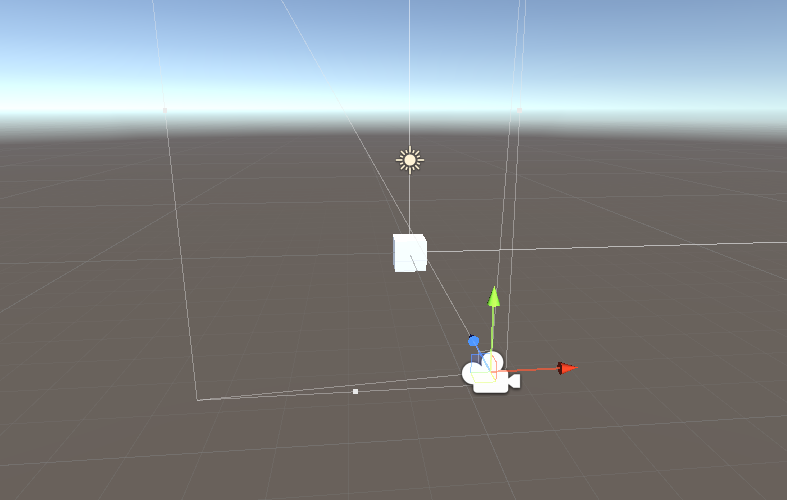
<01. 오브젝트 생성 1>
계층구조창에 빈 게임 오브젝트를 생성하고 이름을 TouchManager로 변경합니다.
TouchManager 오브젝트에 TouchRotate.cs 스크립트를 연결시킵니다.
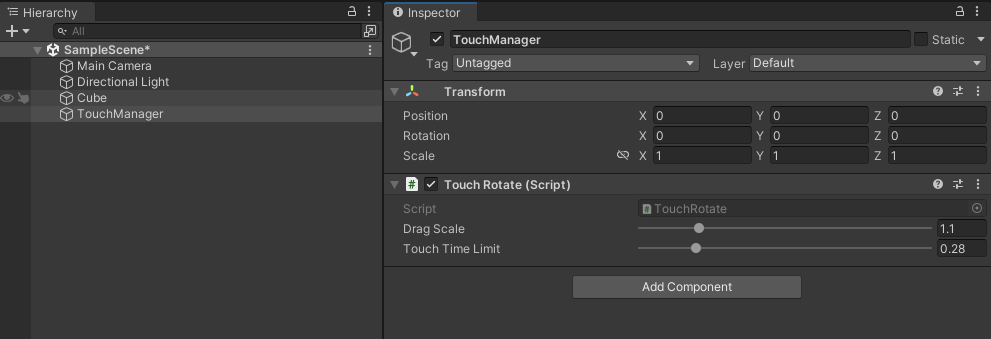
<02. 오브젝트 생성 2>
테스트
모바일 디바이스에 빌드를 하여 테스트를 해 봅니다.
결과물
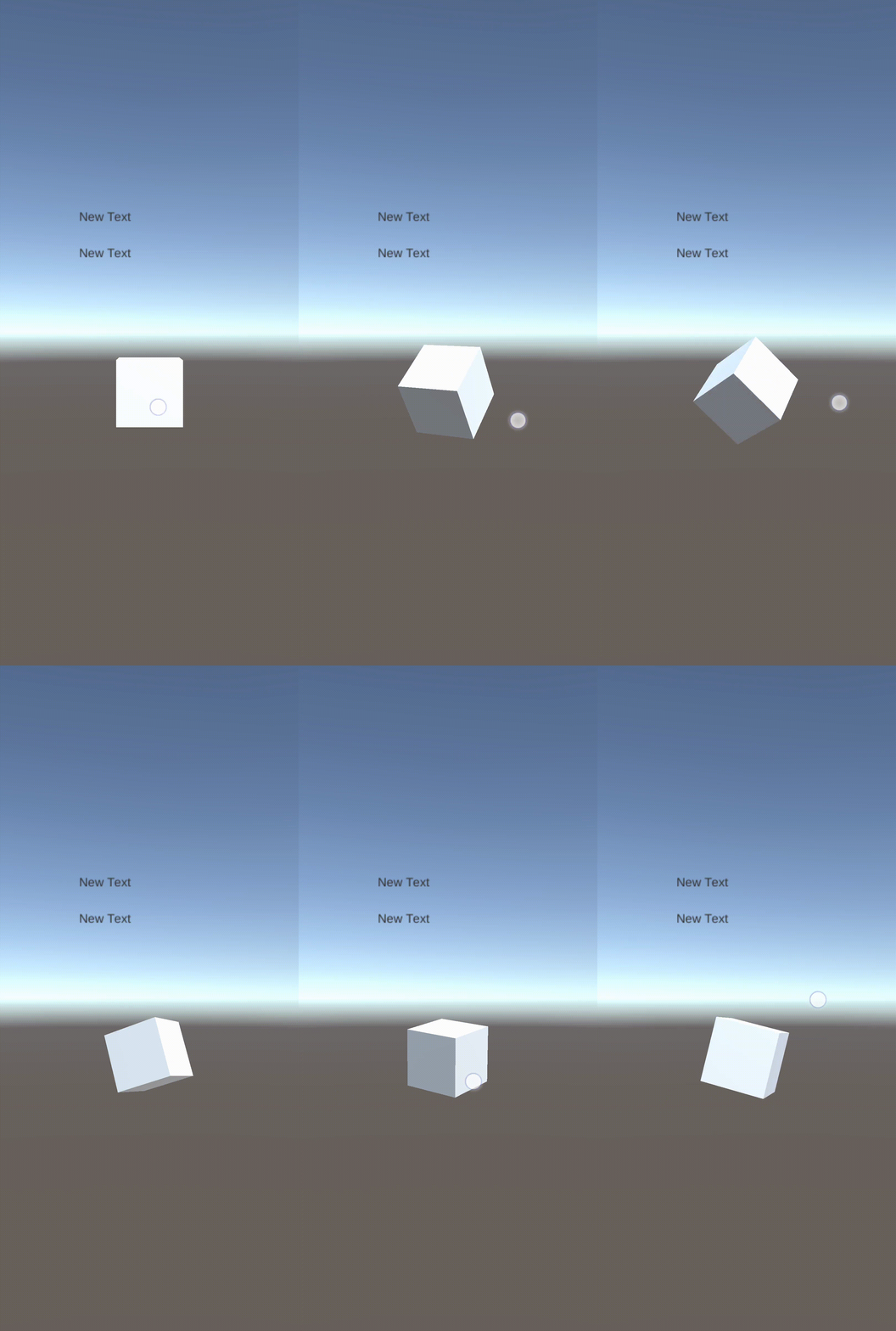
<03. >